WhatsApp for real estate: answer, market and sell from one verified number
Your buyers already live on WhatsApp. Augnix puts your verified business number on the official WhatsApp Business Platform, with an AI pre-sales agent that answers every enquiry in seconds, marketing messages to your opted-in buyers, and every chat in the Augnix CRM. Our team does the Meta set-up for you.
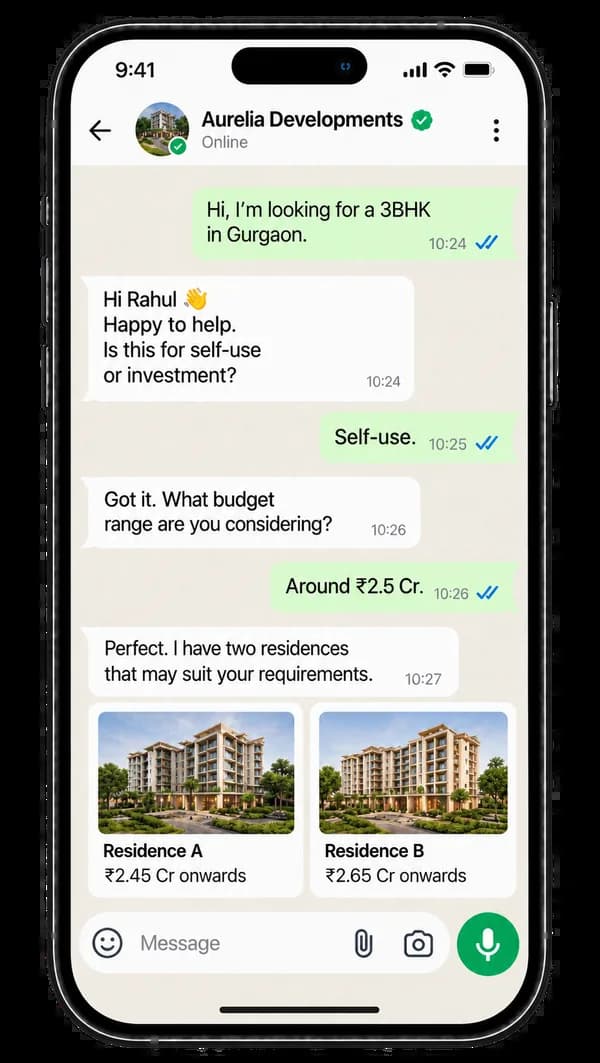
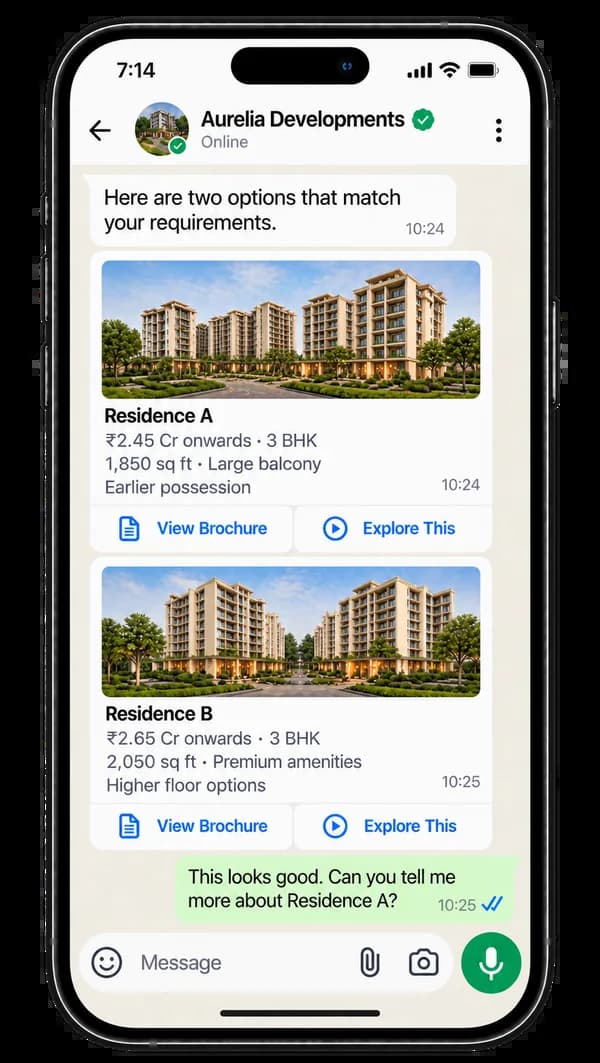
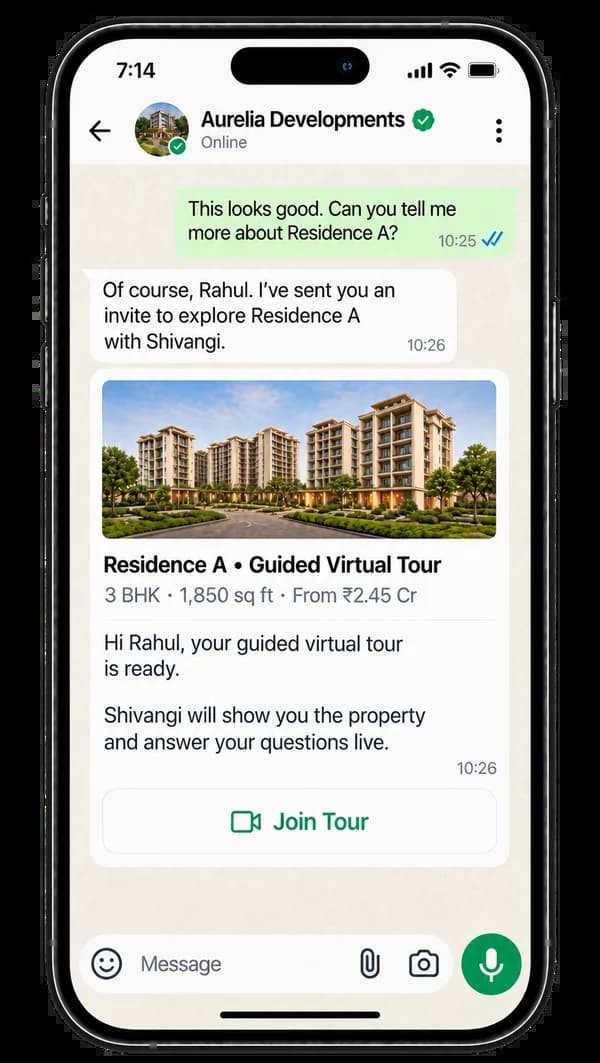
WhatsApp from a sales phone vs Augnix WhatsApp
| WhatsApp on a salesperson’s phone | Augnix WhatsApp | |
|---|---|---|
| Sender | A personal number the buyer does not recognise | Your verified business name and logo |
| First reply | When someone is free | Within seconds, at any hour, from your approved facts |
| Sending to many buyers | Forwarded one by one, with the number at risk of a ban | Marketing broadcasts with Meta-approved templates |
| What the buyer receives | A long brochure PDF | Matching projects, price, brochure and a tour link |
| When the salesperson leaves | The chats leave with the phone | Every chat stays in your CRM, on your number |
When a buyer would rather talk, Shivangi calls on WhatsApp
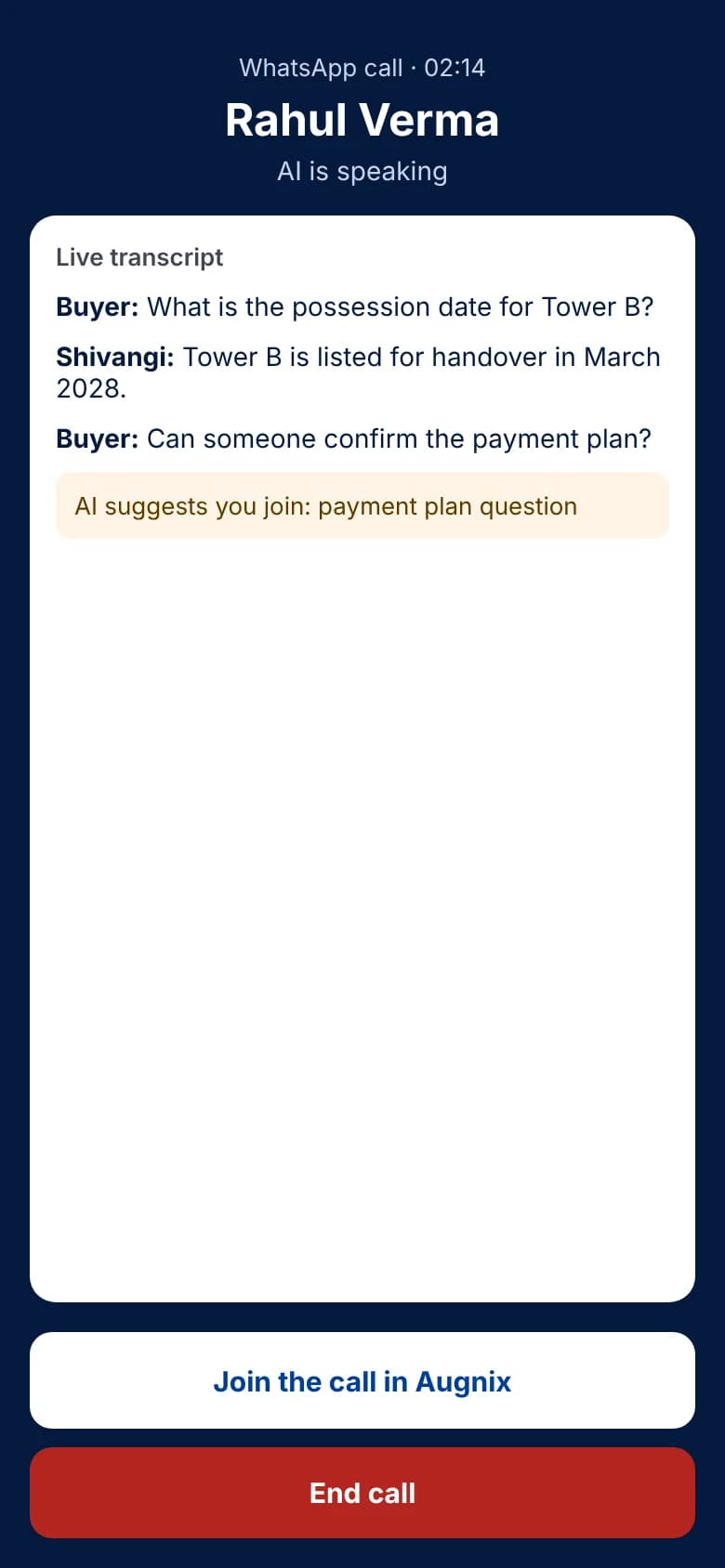
Some buyers want to hear a voice. Shivangi can call them on WhatsApp from your business number, answer their questions and book the site visit, with the call summary saved next to the chat.
- A WhatsApp voice call from your verified number
- Only to buyers who gave permission to be called
- Summary and next steps saved to the buyer’s history
WhatsApp voice call

Shivangi
Satya Builders
Tap play to hear the call
Read the call
- Shivangi: Hello, this is Shivangi from Satya Builders. You asked about our three-bedroom homes on WhatsApp a few minutes ago. Is this a good time to talk?
- Rahul: Yes, hi. What is the price for the three-bedroom?
- Shivangi: It starts at two point four five crore for eighteen hundred and fifty square feet, with one covered parking space.
- Rahul: Okay. And when is possession?
- Shivangi: Tower B is scheduled for handover in March 2028. I will send the payment plan on WhatsApp right after this call.
- Rahul: Great. Can I see the flat this weekend?
- Shivangi: Of course. I have Saturday at eleven, or Sunday at four. Which works better for you?
- Rahul: Saturday at eleven works.
- Shivangi: Done. Your site visit is booked for Saturday at eleven, and the location is on your WhatsApp now. See you on Saturday, Rahul.
- Rahul: Thank you so much.
Your team works from the Augnix app
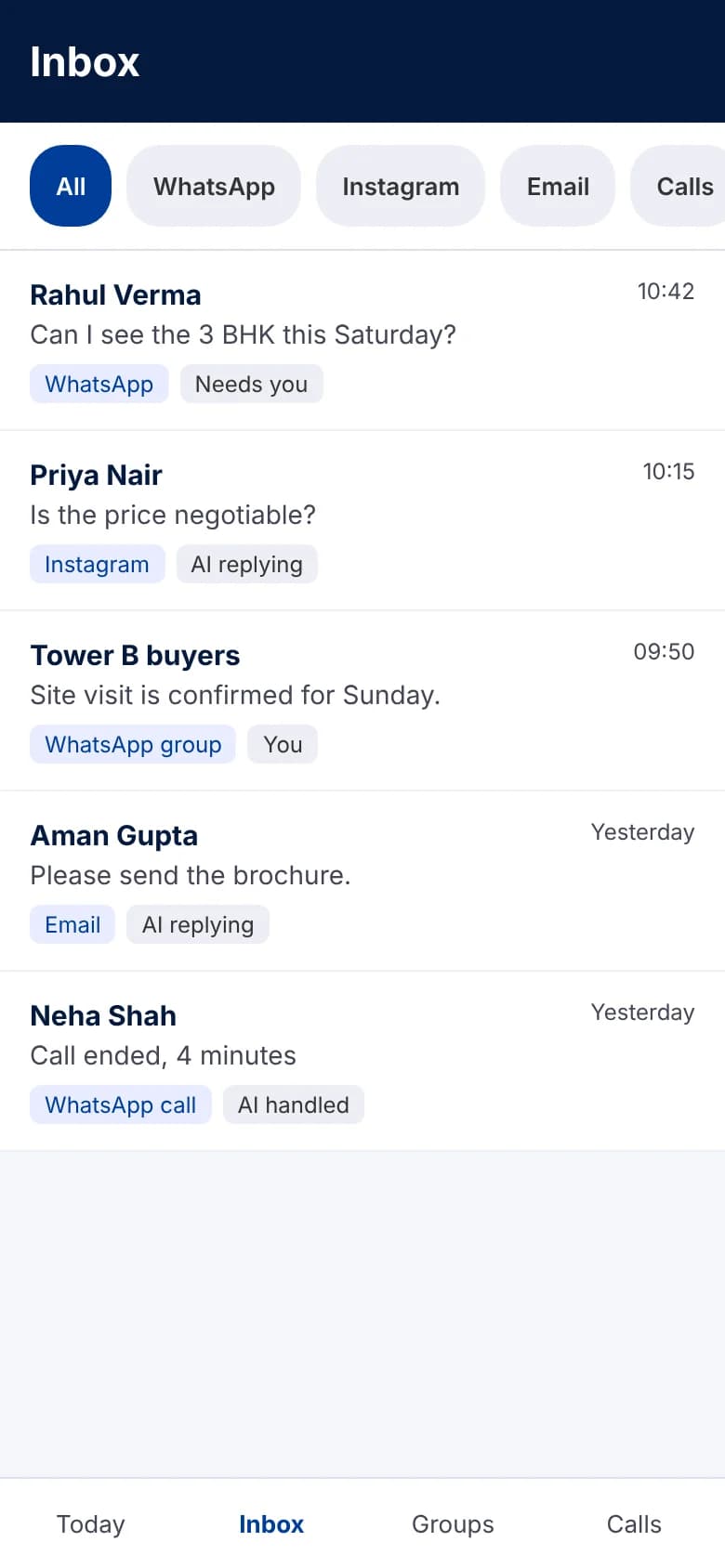
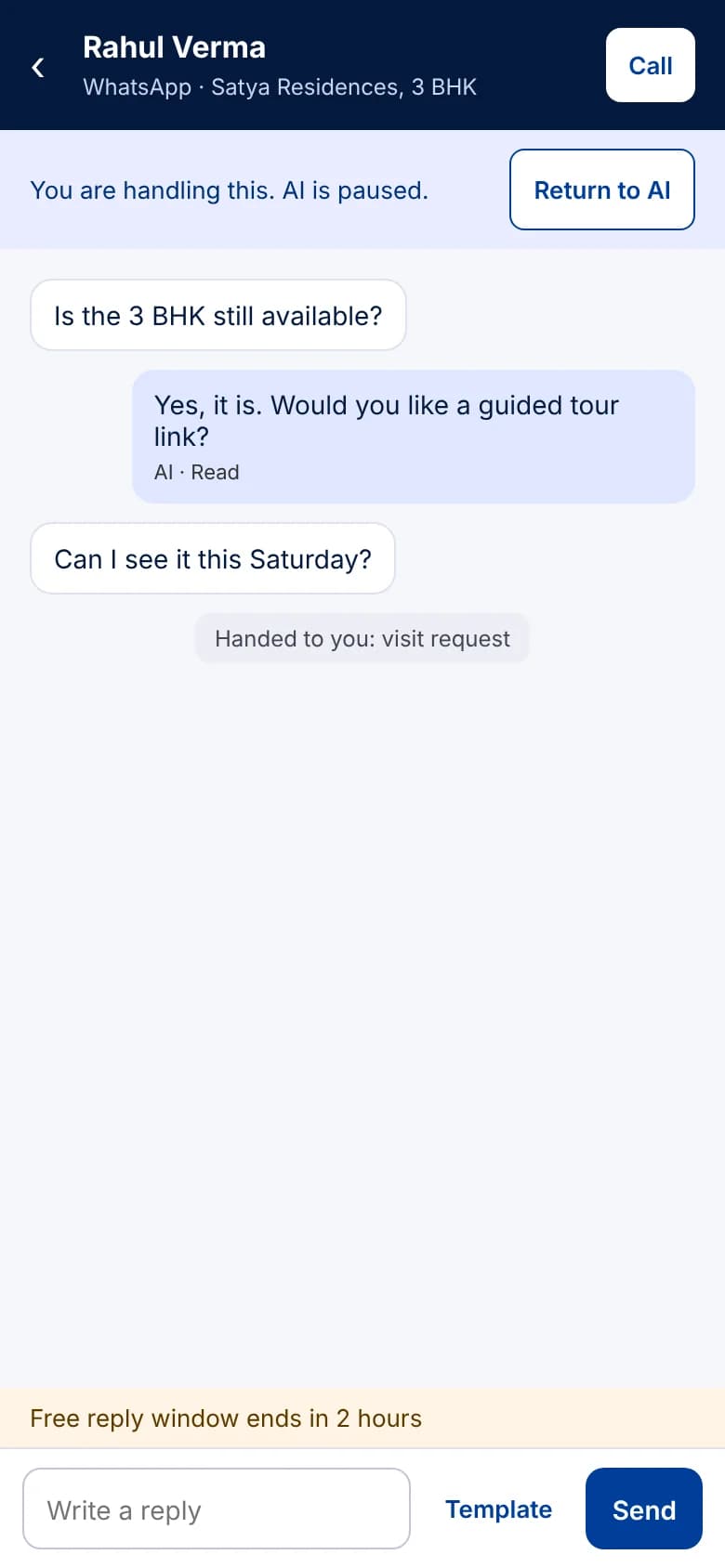
Every WhatsApp chat and call lands in one inbox. Shivangi handles what she can, hands the rest to your team, and your adviser can join a live call in one tap.
Everything you need for WhatsApp Business
Meta set-up, done for you
Business verification, your own number on the WhatsApp Business Platform and your display name, handled by our team.
AI pre-sales agent
Shivangi asks the right questions, sends matching projects and books the tour or site visit, day and night.
Marketing broadcasts
Launches, price updates and event invites to opted-in buyer lists, segmented by project, budget and source.
Message templates
Templates for launches, tour invites and follow-ups, written with you and submitted to Meta for approval.
Click-to-WhatsApp ads
Facebook and Instagram ads that open a WhatsApp chat, each tagged with the campaign it came from.
Tracked links and QR codes
A link for every portal listing, hoarding and brochure, so you know which source brought each buyer.
Tours from the chat
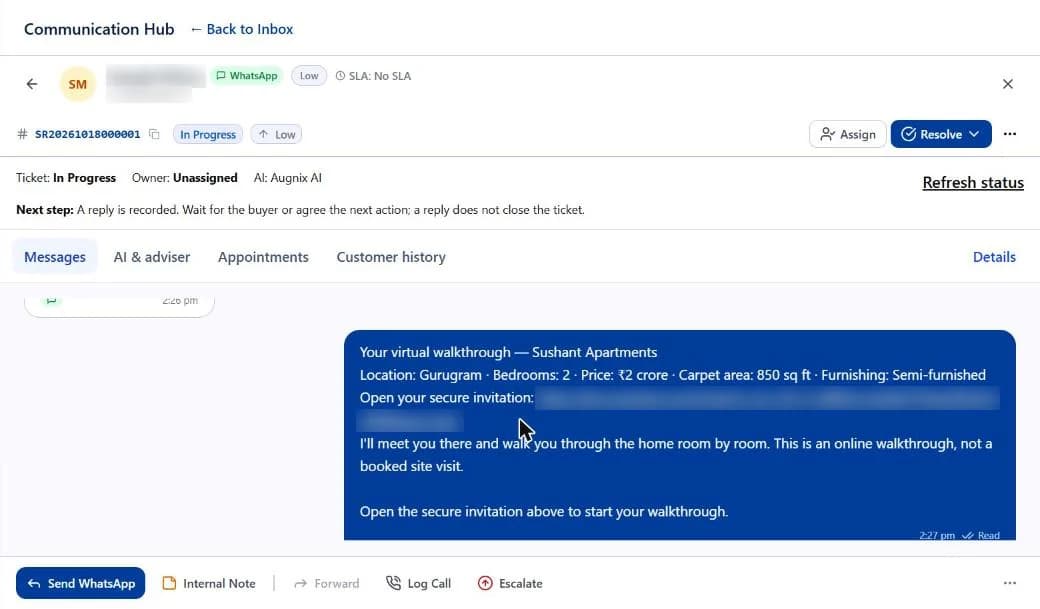
One Join Tour button opens a guided virtual tour with Shivangi in the browser. No app to download.
Shared inbox in the CRM
Every chat lands in the Augnix CRM, with one-click takeover by your adviser and the buyer’s full history.
WhatsApp calls
Buyers can call your WhatsApp number and Augnix Calls answers, on the same number as your chats.
Opt-in and opt-out
Consent is recorded when a buyer enquires, and a buyer who opts out stops receiving marketing.
From your number to live
Step 1
Connect your number
We complete Meta business verification and bring your WhatsApp number onto the platform.
Step 2
Approve what it says
Your team approves the project facts the AI answers from and the message templates.
Step 3
Go live
Ads, QR codes and broadcasts start conversations. Shivangi answers; your team takes over when buyers are ready.
Start anywhere
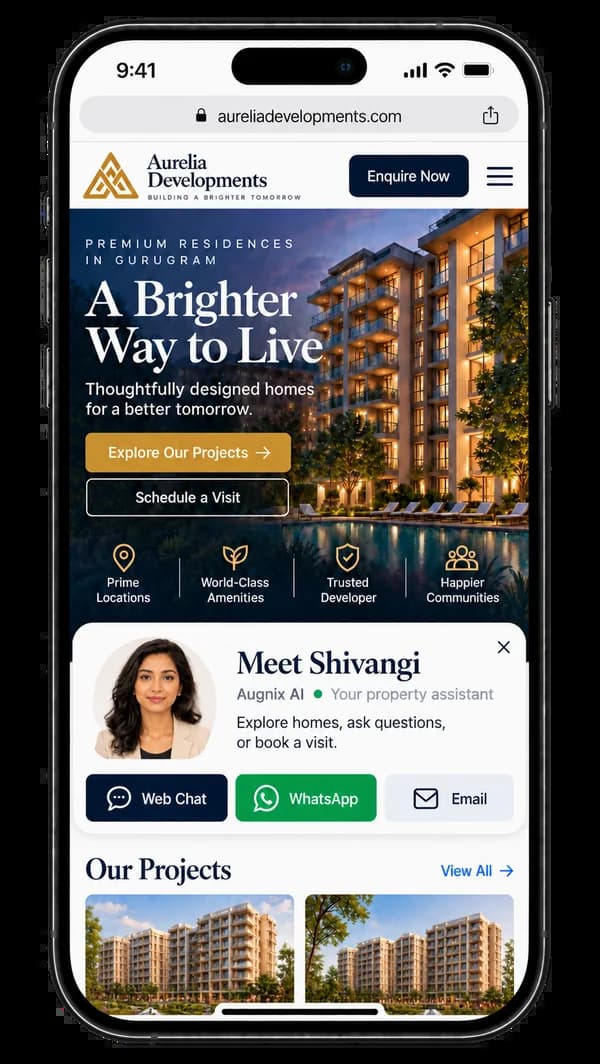
One widget on your website: web chat, WhatsApp or email
Visitors pick the channel they like. Whichever they choose, Shivangi answers and the conversation lands in the same CRM record.
Marketing that gets answered
Broadcast a launch. Shivangi answers every reply.
A launch message goes to the buyers who asked about that project. Each reply comes back to your number, and Shivangi answers it in seconds with the floor plan, price and a tour link.
- Lists built from your CRM: project, budget, configuration, source
- Meta-approved templates for every campaign
- Replies, tours and visits tracked against the campaign
Inside the CRM
Every WhatsApp chat, in your workspace
Your advisers see what the AI said, take over in one click and reply from your business number. Nothing lives only on a phone.
We set it up and run it for you
Augnix WhatsApp comes with our team. You approve; we do the work, before and after go-live.
- 1. Set up
Meta verification, your own WhatsApp Business number and approved message templates, done by us.
- 2. Launch
We plan and run click-to-WhatsApp ads and tracked links for portals, hoardings and QR codes.
- 3. Run
Template updates, price changes and conversation reviews after go-live.
Works with the other Augnix products
Included in every Augnix plan
See plans and pricingFrequently asked questions
Is this the official WhatsApp Business API?
Yes. Augnix runs on the official WhatsApp Business Platform from Meta. Messages go out from your own verified business number, in your name.
Can we keep our current WhatsApp number?
Yes, in most cases. Our team checks the number and moves it onto the WhatsApp Business Platform during set-up.
Can we send marketing messages to our buyer list?
Yes, to buyers who have opted in, using message templates approved by Meta. Buyers who opt out stop receiving marketing.
Who pays Meta’s WhatsApp charges?
Meta charges for business-initiated messages under its own pricing. We explain the charges for your expected volume during set-up, before anything is sent.
Does the AI answer in Indian languages?
Shivangi replies on WhatsApp in English, Hindi and Tamil, and guides tours in eleven Indian languages.
How much does Augnix WhatsApp cost?
Augnix WhatsApp is included in every Augnix plan. See the pricing page for the plans.
Get WhatsApp set up for your project
Leave your mobile number. Our team replies on WhatsApp or calls within one business day.
Prefer to talk now? Chat with us on WhatsApp